Showing posts with label Linksys. Show all posts

June 17, 2012

How to Make a WiFi Hotspot Router From a Linksys Wrt54Gl

Linksys Wrt54Gl
Linksys released the Wrt54G router in 2002. It gained popularity for being a powerful, unmistakably customizable router. Some third-party projects have released replacement firmware for the router which can enable it to accomplish functions not originally available. It prominent to buy a Linksys Wrt54Gl as it has adequate memory to install the third-party firmware. new version of the Wrt54G have too microscopic memory so make sure you go for the Wrt54Gl.

OpenWrt and X-Wrt
OpenWrt is a Open Source firmware project for the Wrt54Gl router. It's a very small version of Linux which runs in place of the stock Linksys firmware. The firmware is available from openwrt.org. I prefer to use another project called X-wrt (x-wrt.org) which is based on OpenWrt but has added a nice graphical front end for configuring the router.

To install X-Wrt (Which may void your warranty)
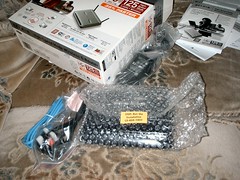


1) Download the openwrt-wrt54g-squashfs.bin firmware image to your Pc
2) Open [http://192.168.1.1/Upgrade.asp] in your browser or manually go to
[http://192.168.1.1] -> supervision -> Firmware Upgrade
3) Upload openwrt-wrt54g-2.4-squashfs.bin
4) Wait 2 minutes. The router will reboot itself automatically after the upgrade is complete.
5) You should now be able to telnet to your router (Ip address: 192.168.1.1) and start configuring.

Installing a Captive-Portal.
Nearly all industrial Hotspots are Captive Portals, this appears as an Open or Unencrypted Wifi signal but then redirects any traffic to a exact web page called a "Splash Page" where your often asked to login or buy internet access. This is a clever way of doing things as most laptops will automatically associate to an open WiFi signal, then when a buyer runs Internet Explorer (or which ever Web browser they use) they are sent to your splash page no matter what site they try to associate to. The most well known free captive portal software is Chillispot, which can be downloaded, and set-up, alternatively a whole of industrial providers furnish easy to use Captive Portal software, which can be installed on your Wrt54Gl.

Summary

In this record we have look at how mighty and versatile the Linksys Wrt54Gl router is. With a bit of work you can convert it into a mighty WiFi Hotspot router, which can be used for billing your customers for Internet access. Good luck with you new project!

Belkin Wireless N Router

March 21, 2012

Netgear hold and Linksys hold - An overview

Netgear sustain and Linksys sustain are among the few services that are demanded at an unprecedented level. There is no doubt that both Netgear and Linksys routers are among the very best routers you can find in the market. Both these routers utilize the very best of technology in both the hardware and software aspects of routers. Netgear and Linksys are among the very first and now the largest associates contribution a collection of routers applicable to both firm and home use. The need for many accesses to internet from a single internet connection is quickly becoming more and more pronounced and this need is satiated by the use of wireless routers. The use of wireless routers is without a doubt important to a firm environment. Let us find out the two things which make routers such prominent devices.

Two prominent Features of Wireless Routers

The first prominent feature of a wireless router is that it provides wireless internet connectivity to its users within a specified area. A user on a laptop is free to roam about and sit at any place and enjoy internet way as long as he remains within the specified radius. The second prominent feature is that innumerable users can associate simultaneously to the internet with the use of wireless routers. Given these features, why does the need for Netgear router sustain and Linksys router sustain comes up?


The Need for Netgear Router sustain and Linksys Router Support

Routers are plagued with a qoute that seems to influence most of its users. Issues with regard to Netgear router setup and Linksys router setup are among the most base events which make users look for Netgear sustain and Linksys support. The other qoute is that dealing with router software, especially router drivers which need to be constantly updated. Other than these two base problems, there are several other issues which want router support.

Netgear hold and Linksys hold - An overview

Data Recovery Information Kaka Skills and Goals Video

February 9, 2012

NetGear Wndr3700 Vs Linksys E3000 - High execution Showdown

Both of these high execution wireless routers characterize the flagship models of their respective manufactures buyer line ups. Both can run detach 5Ghz and 2.4Ghz frequency bands simultaneously. Both feature gigabit network ports and the potential to share out media wirelessly from a built-in Usb port. Both furnish easy, push button setup and furnish the potential to furnish password protected entrance to the Internet to guests. They are also priced approximately identically.

The real advantage of these two routers is the dual bands. Wireless-G is fine for surfing and Wireless-N is favorite for gaming and multimedia streaming. The dual bands furnish the potential to keep these two activities from interfering with each other. Gaming and multimedia streaming are what we call "timing dependent". This means that any drop or lag in the network can cause disastrous consequences. A game can start to lag and video can get "jittery".

A typical web surfing session can survive an occasional drop in network connectivity or bandwidth. The same drop on a gaming or Hd video session and drastically decrease the user experience. Dual bands allow you can keep your surfing and gaming/multimedia sessions wholly separate. Once it's set up the kids gaming session or Dad's Hd video session won't be brought to a stand still by Mom's downloaded cooking recipe.


So which is the good router? Here is where they differ:

  • The Linksys takes the entertainment route by allowing you to broadcast video and game article to the rest of your network with a built-in media server.
  • The Netgear takes the execution route with a excellent 680Mhz processor, eight super sensitive internal antennas and execution boosting amplifiers.

In terms of shear acceptable put and range the Netgear outperforms the Linksys in 2.4Ghz wireless N Mode.

The Linksys slightly outperforms the Netgear in 5Ghz wireless N mode.

Not to be outdone by Linksys's internal media server the Netgear has a Usb Ready Share port which can also used to stream video content. Unfortunately the Linksys's built-in media server is slow compared to just about all dedicated media servers. Whether you unmistakably want to reconsider the media server feature an advantage or not is debatable.

So we're neck and neck. The deciding factor in selecting between these two behemoths of the home wireless networking world may come down to your own personal aesthetic taste and any compatibility concerns you may have with the rest of the gear on your wireless network.

NetGear Wndr3700 Vs Linksys E3000 - High execution Showdown

Central Air Compressor Troubleshooting

January 2, 2012

What's New With Linksys E-4200 Dual Band Gigabit Router?

Linksys E-4200 N750 Wireless N dual band simultaneous gigabit router is the new router introduced in Jan 2011 - the first router introduced by Linksys with N750 technology.


Linksys E-4200 N750 is powered by the latest wireless 802.11n technology with dual band simultaneous supports and it is compatible with the 802.11b/g heritage clients. If you still have some computers with heritage Wi-Fi 802.11b or g, they are still compatible with the router but with maximum speeds your clients can connect.


Netgear Router Usb 3.0


High Speeds


The main unlikeness in the middle of the old Linksys E-3000 and Linksys E-4200 is the speed specs. The maximum speeds for E-3000 is 300Mbps theoretically for either 2.4Ghz or 5Ghz bands which is generally known as the N600 router. While the Linksys E-4200 speed is 300Mbps for 2.4Ghz band and 450Mbps for 5Ghz band - this is generally known as N750 routers.

The router includes full 3x3 Mimo antenna array for maximum range and reliability. With the high speeds of up to 450Mbps (for 5Ghz band) and the longer distance range coverage and with the expanding of QoS feature, the router provides maximum high operation wireless environment for high speed Hd media streaming and flat and fast response gaming experiences. QoS (Quality of Service) technology is the capability of the router to furnish the traffic prioritization for gaming and streaming over other data traffic.

Netgear also introduced the N750 router Wndr4000 which is roughly the same specs as the Linksys E-4200 router. Both routers are equipped with the Gigabit Wan (1 port) and Gigabit Lan (4 ports) Ethernet interfaces. With Gigabit Lan interface, you can join together any computers with gigabit Nic enabled using Cat5e network cable for high speed wired connection.

Like Netgear Wndr4000, the Linksys E-4200 includes one Gigabit Wan port. For home users who subscribe Cable internet services, you can join together to the high speed Docsis 3.0 cable modem such as Surfboard Sb6120 which includes gigabit Ethernet port for optimum data throughput.

Usb Port

Linksys E-4200 includes one built-in Usb port with UpnP Media Server to let you share an external warehouse with the users on the local network or securely entrance via the internet by means of Vpn connection. With the built-in UpnP Av Media Server you can stream your Hd media to other media devices together with the Xbox, Ps3, Blu-Ray players, and Tv.

Unfortunately, you cannot use this Usb port to host a Usb printer for sharing. To share the printer via the network you need to buy separate wireless print server or you can use the computer and configure it traditionally for print-server.

Compared to the Netgear prime edition Wndr3800, the router supports the Usb port that can be used to host an external warehouse or Usb printer for sharing. But the Wndr3800 delivers the maximum speeds of up to300Mbps (N600 technology). Should you want the environment that supports both warehouse and printer for sharing, you may reconsider Belkin Hd N600 which includes two Usb ports for warehouse and printer.

Advanced Security

Like other new routers with wireless 802.11n support, the router supports the latest wireless protection encryption: Wpa/Wpa2 (Wi-Fi Protected Access) the stronger wireless protection compared with the Wep (for heritage 802.11b/g devices). The Linksys E-Series supports the Radius as well if your business network supports the Radius server for Authentication and Authorization. You can enable the router for Radius to combine with the Radius server for centralized authentication.

Not many routers preserve the Guest network access. Guest network entrance can be enabled to allow your guests entrance the internet without gaining entrance to your local network. You can enable the Guest entrance to allow up to 5 guests to entrance the Internet without compromising your local network.

All the must have protection features together with the Nat and Spi are also included for protecting the network against any threats. The Dhcp must have highlight also included to furnish the Ip address automatically to all the computers on the network.

Should you want the maximum speeds of the wireless environment for demanding high intensive bandwidth applications such as for flat gaming and Hd media streaming, Linksys E-4200 is your choice.

By Ki Grinsing


What's New With Linksys E-4200 Dual Band Gigabit Router?

September 4, 2011

What is E-4200 Dual Band Gigabit with Linksys router?

Linksys Wireless-N E-4200 N750 Dual Band Gigabit Router is simultaneously introduced the new router in January 2011 - first introduced the N750 with a Linksys router technology.

N750-4200 And Linksys is supported simultaneously by the latest 802.11n wireless technology with dual-band powered and is compatible with 802.11b / g legacy clients. If you have some previous computer with Wi-Fi 802.11b or g, are still withconnect the router, but with speeds up your customers.

Netgear Wireless N Router

High-speed

The main difference between the first and Linksys Linksys E-3000 E-4200 is the specific speed. The maximum speed for E-3000 is both theoretically 300Mbps at 2.4 GHz or 5 GHz, which is commonly known as the N600 router. While the e-4200 speeds of 300Mbps and 450Mbps Linksys 2.4 GHz band for 5-GHz - the N750 is commonly known as routers.

The router has full3x3 MIMO antenna array for maximum range and reliability. With the high speeds of up to 450Mbps (for 5-GHz) and the increased coverage and with the addition of QoS, the router provides the ultimate high-performance environment, high-speed wireless HD media streaming and smooth and fast experience responsive gaming. QoS (Quality of Service) technology is the ability of the router with traffic prioritization, includes games and streamingother traffic.

Netgear also introduced the N750 Router WNDR4000 features, which are almost the same specifications as the E-4200-Linksys router. Both the router with the WAN Gigabit (1 port) and Gigabit Ethernet (4 ports), Ethernet interfaces. With Gigabit-LAN, you can connect any computer with Gigabit network adapter enabled with Cat5e network cable for connecting high-speed cable.

Netgear WNDR4000 as the Linksys E-4200 includes a gigabit WAN port.For home users who subscribe to cable Internet service, you can use the high-speed DOCSIS 3.0 Cable Modem SB6120 Surfboard as the Gigabit Ethernet port for connection for optimum data throughput as well.

USB port

Linksys E-4200 contains a built-in USB port, UPnP media server so you can share an external memory with users on the local network or securely over the Internet using a VPN connection. With the built-in UPnP AV media server can stream HD mediaother media, including the XBOX, PS3, Blu-Ray player and TV.

Unfortunately you can not sleep with a USB port to a USB printer for sharing. To use the network printer you must buy the wireless print server or you can use your computer and configure it to traditional print server share.

Netgear WNDR3800 compared to the Premium Edition supports the USB port on your router, which are used for an external storage device or a host for USB printers can Sharing. However, the WNDR3800 provides a top speed of up to300Mbps (N600) technology. If support for the environment, both storage and printer sharing, you can HD Belkin N600, which contains two USB ports for storage and printers to consider.

Enhanced Security

As with other new wireless router that supports 802.11n, the router supports the latest wireless encryption security: WPA/WPA2 (Wi-Fi Protected Access), the strongest> WLAN security with WEP (only for devices 802.11b / g). The Linksys E-Series supports RADIUS and if your network supports the RADIUS server for authentication and authorization. You can integrate the router for RADIUS with the RADIUS server for centralized authentication.

Not many routers to facilitate access for guest network. Network guest access can be enabled for your guests to access the Internet without access toYour local network. You can allow guest access up to five people to access the Internet without your local network.

All have safety features, including NAT and SPI are also to protect the network against threats included. The DHCP function must also specify the IP address automatically available to all computers on the network.

If the maximum speed wireless environment for demanding highbroadband applications, such as for a smooth gaming and HD media streaming, Linksys D-4200 of your choice.

With Ki Grinsing

What is E-4200 Dual Band Gigabit with Linksys router?

netgear wireless n router wnr2000

Nikon Remote Control Bedbug Boxspring Cover